> ## Documentation Index
> Fetch the complete documentation index at: https://docs.vast.ai/llms.txt
> Use this file to discover all available pages before exploring further.
# Keys
The Keys page helps you manage secure access to your Vast.ai account. Here, you'll find different types of keys used for authentication and connection.
## SSH Keys
You can add, edit, or remove your ssh keys in the SSH Keys section of the Keys page of your console.
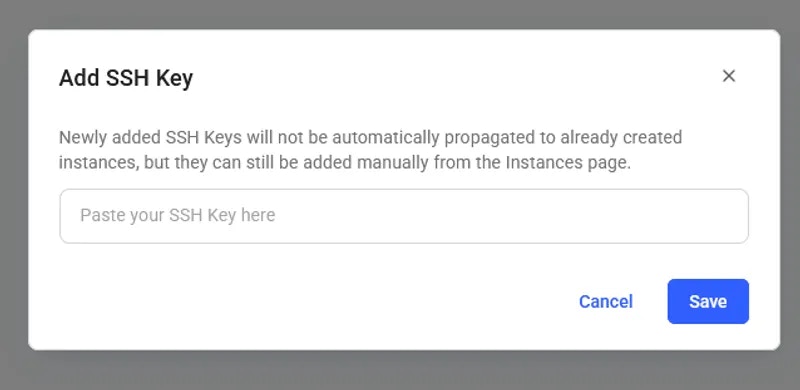
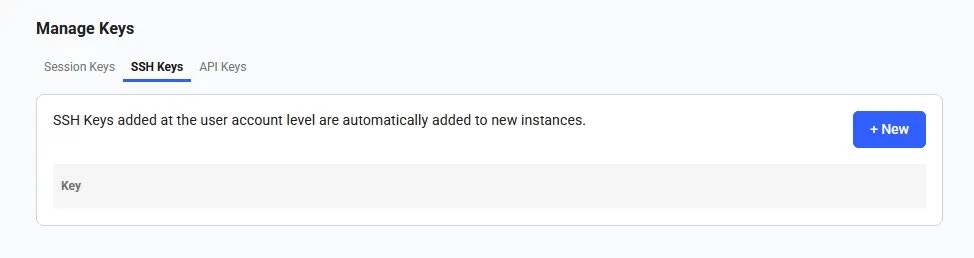 Add a new ssh key by clicking on the **+New** button. Copy and paste your key into the input in order for it to be attached to your account. You can use this ssh key to log into instances remotely. More [here](/guides/instances/sshscp).
 Once the SSH key is saved, it will appear in the SSH Keys section and will be automatically added to your future instances.
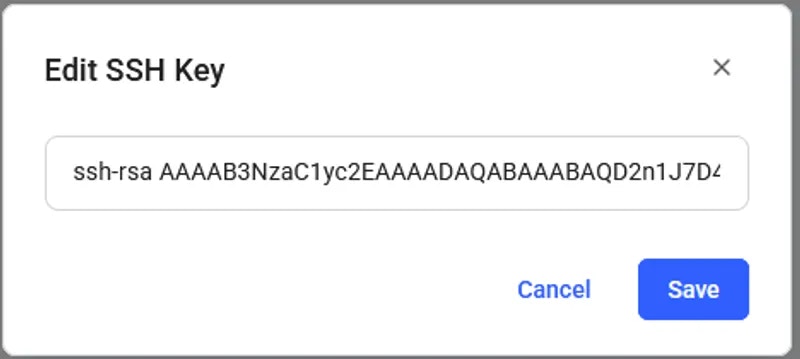
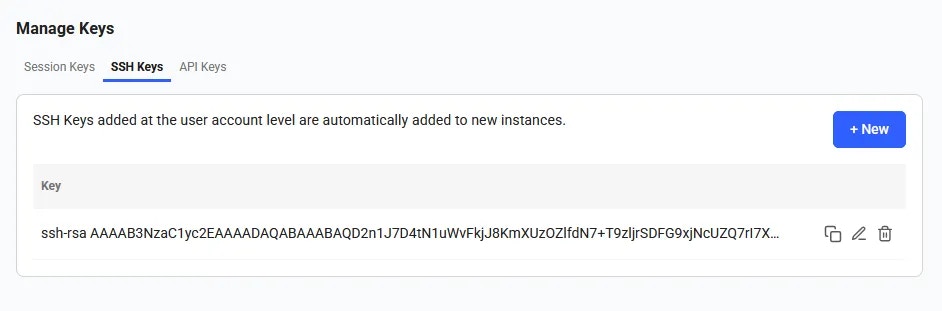 You can edit an existing ssh key by clicking on the **Edit** button and changing the text.
 Delete an existing ssh key by selecting the **Delete** button.
These ssh keys will be used primarily when accessing an instance. You must switch out your ssh keys on this page if you wish to connect easily via multiple machines.
## API Keys
You can view, copy, edit, and update your API keys in the Keys section of the console. You will need an API key to access the Command Line Interface and the REST API.
To create an API key click on the **+New** button. It will trigger API key creation pop-up.
Delete an existing ssh key by selecting the **Delete** button.
These ssh keys will be used primarily when accessing an instance. You must switch out your ssh keys on this page if you wish to connect easily via multiple machines.
## API Keys
You can view, copy, edit, and update your API keys in the Keys section of the console. You will need an API key to access the Command Line Interface and the REST API.
To create an API key click on the **+New** button. It will trigger API key creation pop-up.
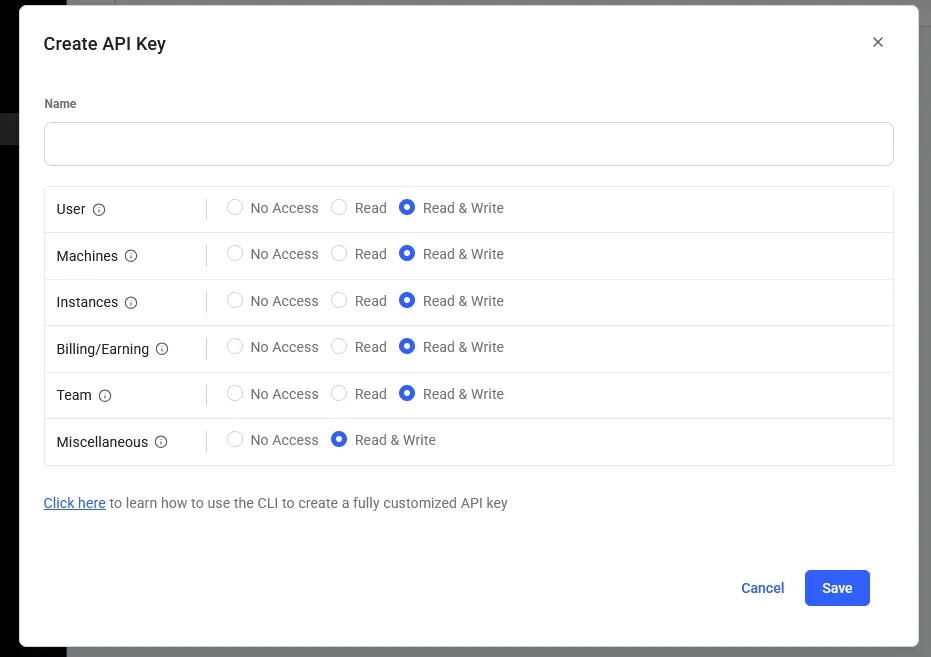 Here, you can select specific permissions and assign a name to the key (by default, all you account permissions are selected).
 You can reset an API key by clicking the **Reset** button. A new key will be automatically generated. To remove a key, simply click the **Delete** button.
## Session Keys
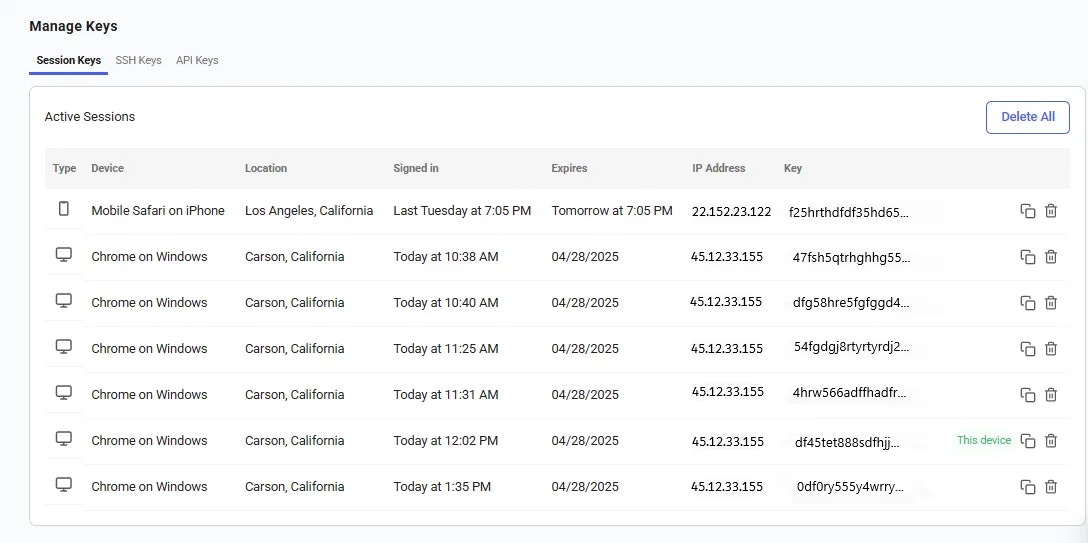
A **session key** is a temporary key that allows access to your Vast.ai account. These keys are automatically created when you log in and will expire in one week.
However, for security reasons, it's important to review your session keys regularly. You can view a list of all active session keys and see which devices are currently logged into your account. If you notice any session keys that you don't recognize, or if a device is no longer in use, you can delete those keys to immediately remove access. This helps keep your account secure and ensures only your devices remain connected.
You can reset an API key by clicking the **Reset** button. A new key will be automatically generated. To remove a key, simply click the **Delete** button.
## Session Keys
A **session key** is a temporary key that allows access to your Vast.ai account. These keys are automatically created when you log in and will expire in one week.
However, for security reasons, it's important to review your session keys regularly. You can view a list of all active session keys and see which devices are currently logged into your account. If you notice any session keys that you don't recognize, or if a device is no longer in use, you can delete those keys to immediately remove access. This helps keep your account secure and ensures only your devices remain connected.