

How It Works
- Share Your Link - Post it on your site, in videos, blogs, or wherever your audience is.
- They Join & Buy Credits - New users sign up through your link and purchase credits.
- You Earn - Get 3% of their lifetime spend as referral credits.
- Cash Out or Spend - Use credits on Vast, or withdraw up to 75% as cash.
If someone spends $1,000 over time, you get $30 in referral credits, forever.
Payout Rules, Important!
To receive cash payouts (outside of Vast), you must use a dedicated referral account:- If you’ve ever rented instances or hosted machines on an account, you cannot cash out until your referral earnings exceed your lifetime instance spend.
- If you just want credits to rent Vast instances, you can use your main account.
It keeps your referral earnings clear and makes sure you’re payout-eligible.
Getting Your Referral Link
- Create a new account for referrals.
- Go to Settings → Referral Link.
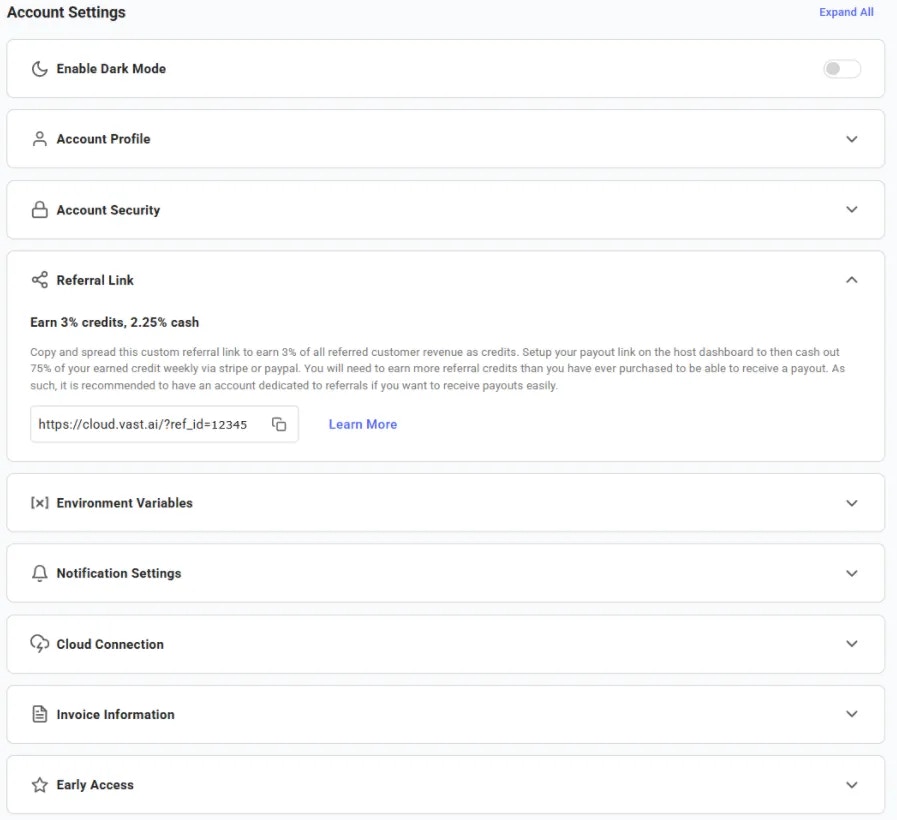
Account Settings
- Copy the link.
- Share it!
Note: You can’t refer yourself or any account connected to you, those won’t earn rewards.
Using Templates for Referrals
Want to make referrals even easier? Use Templates page to create your template. A template can pre-load:- A Docker image
- Launch mode(s)
- Onstart script
- Environment variables
Note: You can’t refer yourself or any account connected to you, those won’t earn rewards.
Prohibited Promotion
Referrers may not purchase paid search, display, video or social advertising that targets Vast.ai brand terms, including “vast”, “vast.ai”, “vast ai”, “vast gpu”, and any misspellings or variants of these terms. Referrers may not link advertising directly to any vast.ai or cloud.vast.ai URL, and may not use Vast.ai trademarks, logos or display URLs in ad copy. Referrers may not operate multiple referral accounts, and may not create additional accounts to circumvent these terms. Effective September 15, 2026.Bigger Opportunities
For large-scale referral or marketing collaborations, reach us at support@vast.ai.Common Questions
Where can I find referral link for my template?
Open your Templates page -> My Templates. On each template card, click the three-dot menu and select Copy Referral Link. This gives you a ready-to-share link that includes your referral ID and the template ID, perfect for sharing with your audience.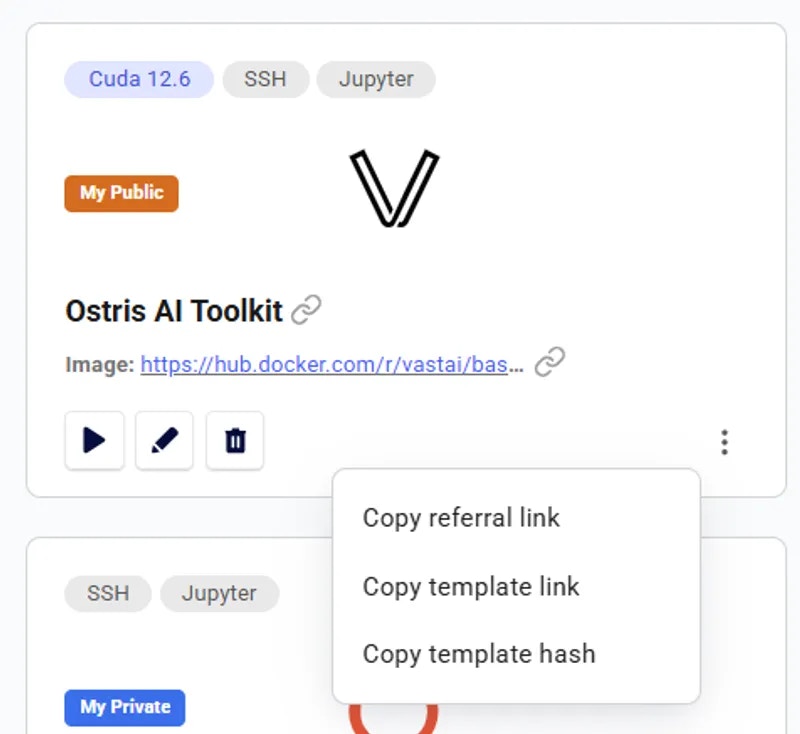
Template Card