

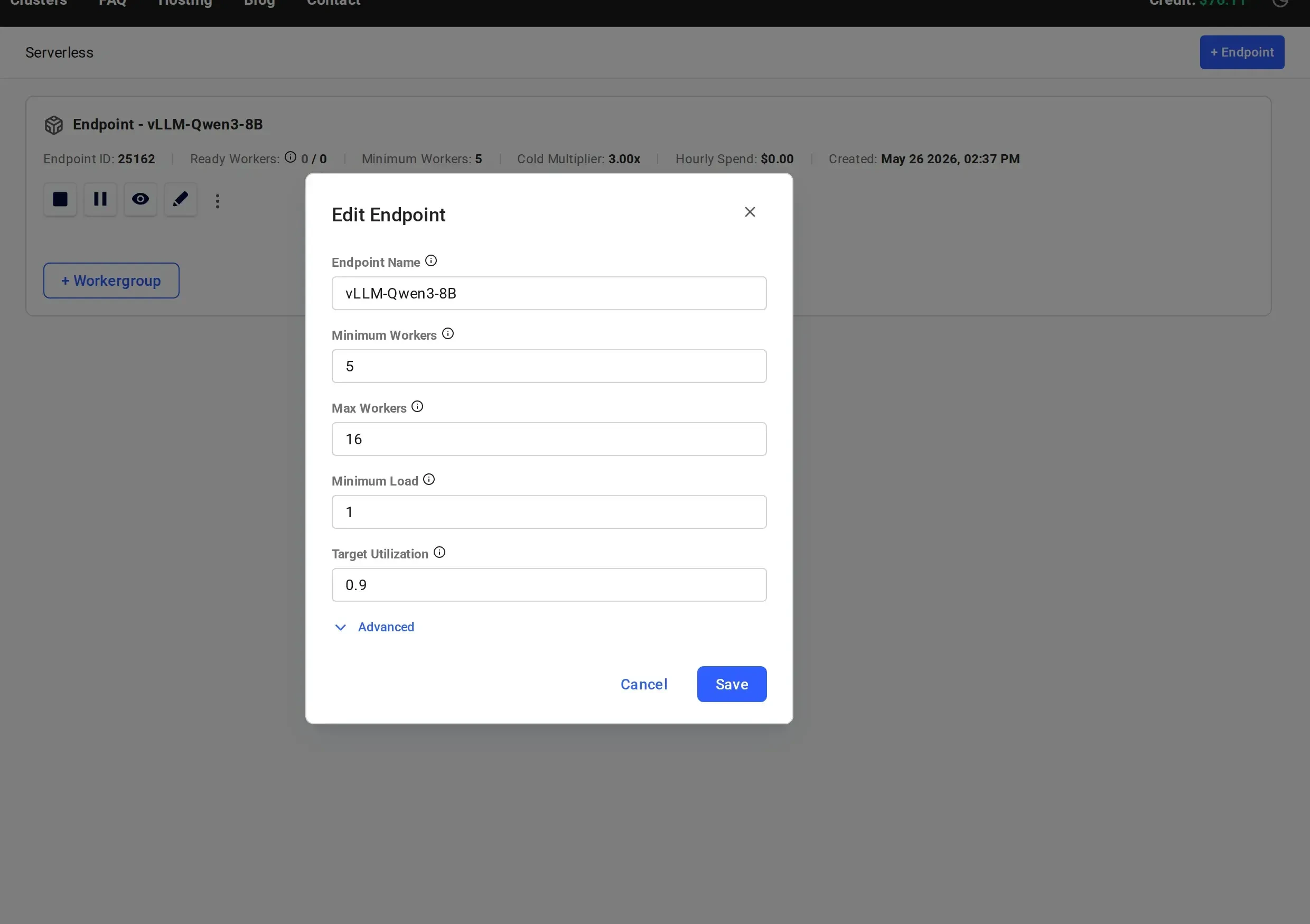
Main Parameters
Max Workers (max_workers)
The upper limit on the total number of workers (active and inactive) that the serverless engine will recruit for the endpoint. The worker count can briefly exceed this limit in two cases:
- During a rolling update, the engine may add up to 10% more workers (at least one) so the endpoint keeps its capacity while workers are replaced.
- A replacement worker that is being prepared for a worker whose rental contract is ending is not counted until it takes over. See Workers with a Contract End Date.
20. The console pre-fills 16.
Minimum Workers (cold_workers)
The minimum number of workers that the serverless engine will maintain. This includes active and inactive workers. When scaling down, the engine never destroys workers below this number.
If not specified during endpoint creation, the default value is 5.
Minimum Load (min_load)
Vast Serverless utilizes a concept of load as a metric of work that is performed by a worker. Load is the computational cost of a single request.
Each worker has a perf (performance) rating, which represents its capacity or usage, measured in load per second, how much load that worker can handle per second based on benchmark tests. This perf rating is used to make scaling and capacity decisions.
For example:
- A worker of 100 perf will resolve a request of 100 load in 1 second
- A separate worker (on a higher performance GPU) of 200 perf will resolve that same request in 0.5 seconds
min_load is used to set the target minimum number of active workers for the endpoint. This value can be edited on a live endpoint, and the serverless engine will work to match the new target.
Best practice for setting min_load
- Start with
min_load = 1(the value the console pre-fills), which guarantees at least one active worker - Run the benchmark test to determine measured performance
- Update
min_loadusing the following formula:
0, which allows the endpoint to scale to zero active workers. The console pre-fills 1.
Target Utilization (target_util)
Target Utilization defines the ratio of active capacity to anticipated load and determines how much spare capacity (headroom) is reserved to handle short-term traffic spikes.
For example, if anticipated load is 900 tokens/sec and target_util = 0.9, the serverless engine will maintain:
Spare capacity examples
target_util = 0.9→ 11.1% spare capacitytarget_util = 0.8→ 25% spare capacitytarget_util = 0.5→ 100% spare capacitytarget_util = 0.4→ 150% spare capacity
0.9.
Advanced Parameters
The following parameters are available under the Advanced section of the endpoint creation and edit dialogs.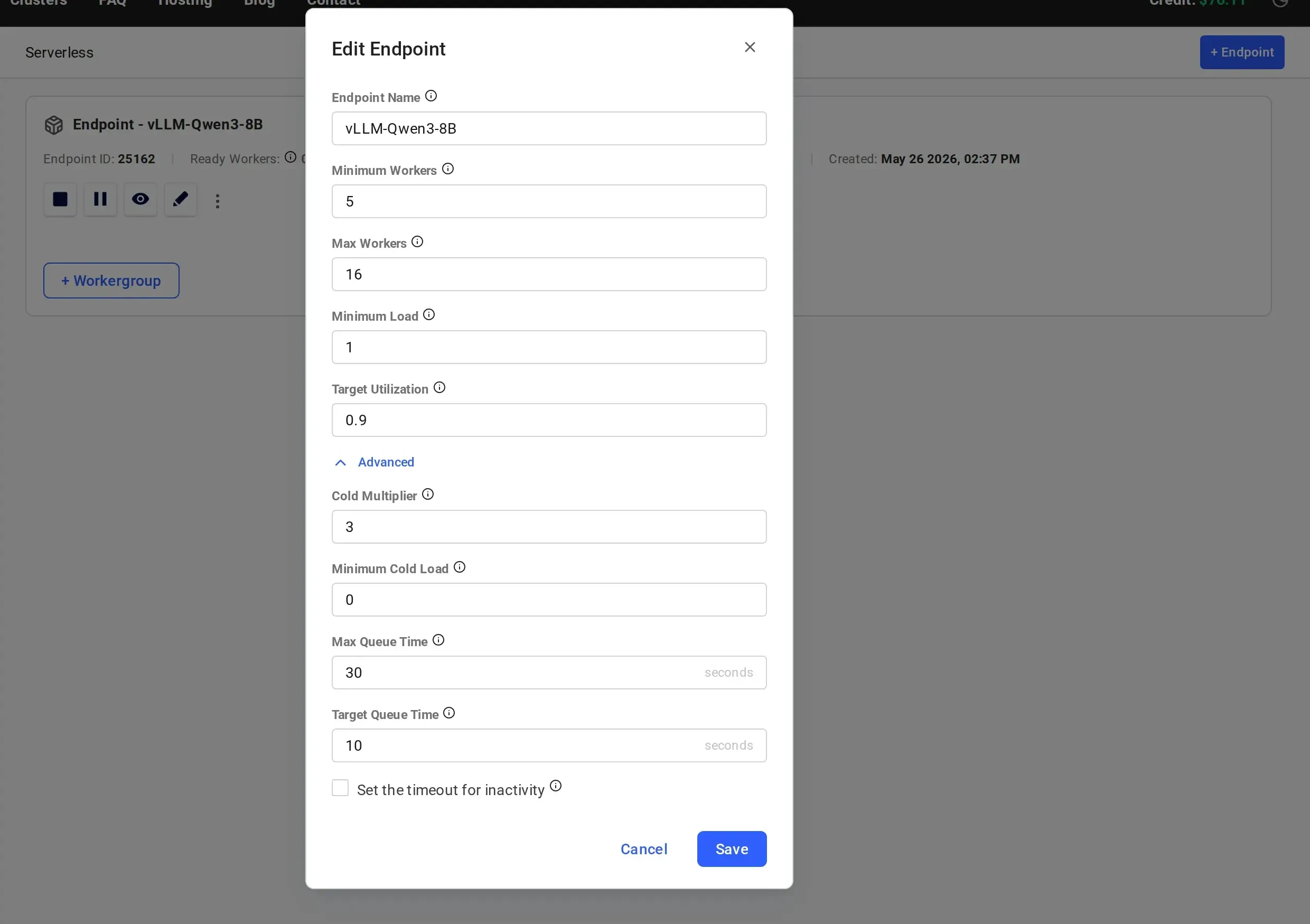
Cold Multiplier (cold_mult)
While cold_workers is fixed regardless of traffic patterns, cold_mult defines inactive capacity as a multiplier of the current active workload.
Example
For an active load of100 and cold_mult = 2:
150 with cold_mult = 2, the serverless engine will attempt to maintain 150 inactive load.
If not specified during endpoint creation, the default value is 3. The vastai create endpoint CLI command and the SDK’s create_endpoint() send 2.5 unless you set a value.
Minimum Cold Load (min_cold_load)
min_cold_load sets a floor on the load used to size the total pool of workers (active and inactive). The serverless engine sizes the total pool from the larger of the endpoint’s long-term average load, min_load, and min_cold_load, then applies target_util and cold_mult to it.
Example
Withmin_cold_load = 300, target_util = 1, and cold_mult = 2, while the long-term average load is below 300:
300, it replaces min_cold_load in this calculation.
If not specified during endpoint creation, the default value is 0.
Inactivity Timeout (inactivity_timeout)
An optional number of seconds, greater than 0. Once the endpoint has had no queued or in-progress requests for this long, the serverless engine treats its short-term demand as zero and stops active workers down to the min_load floor. With min_load = 0, this means zero active workers.
The timeout only affects active workers. The number of inactive workers is based on the endpoint’s long-term average demand, cold_workers, and min_cold_load, so inactive workers are removed gradually afterward rather than at the timeout. See Scaling to Zero.
Without an inactivity timeout, active workers still scale down as short-term demand fades after traffic stops. Setting a timeout guarantees that no active capacity above min_load is kept once the endpoint has been idle for that long.
If not specified during endpoint creation, no inactivity timeout is applied. Once set, the timeout can be changed to another positive value but cannot be removed.
Max Queue Time (max_queue_time)
The maximum number of seconds of expected queue time allowed to build up on each individual worker. The serverless engine uses this value when routing requests: if all workers have reached their max_queue_time limit, new requests are held in a global queue until a worker has capacity.
This parameter controls how much work can be buffered on each worker before the system considers the worker “full” for routing purposes.
If not specified during endpoint creation, the default value is 30 seconds.
Target Queue Time (target_queue_time)
The acceptable queue time threshold (in seconds) across the endpoint. When observed queue times exceed this value, the serverless engine begins aggressively scaling up workers to handle the excess load.
In practice, max_queue_time defines how much each worker can absorb, while target_queue_time defines the point at which the system decides more workers are needed. Together they control the autoscaler’s sensitivity to queuing:
max_queue_time, Per-worker routing limit. “How full can each worker get?”target_queue_time, Endpoint-wide scaling trigger. “At what queue time do we start adding workers?”
10 seconds. target_queue_time must not be greater than max_queue_time.