

How Webhooks Fit Into Notifications
A webhook subscribes to one or more notification type keys. When a matching event is produced and the webhook channel is enabled for that notification type, Vast.ai sends a signedPOST request to your webhook URL.
Subscribing a webhook to an event automatically turns on the webhook channel for that event in your notification preferences.
Create a Webhook in the Console
- Open Account Settings.
- Go to Notification Settings.
- Select the notification events you want to send to a webhook.
- Click Create webhook.
- Enter a webhook name and an HTTPS URL.
- Click Create, then click Save on the notification settings form.
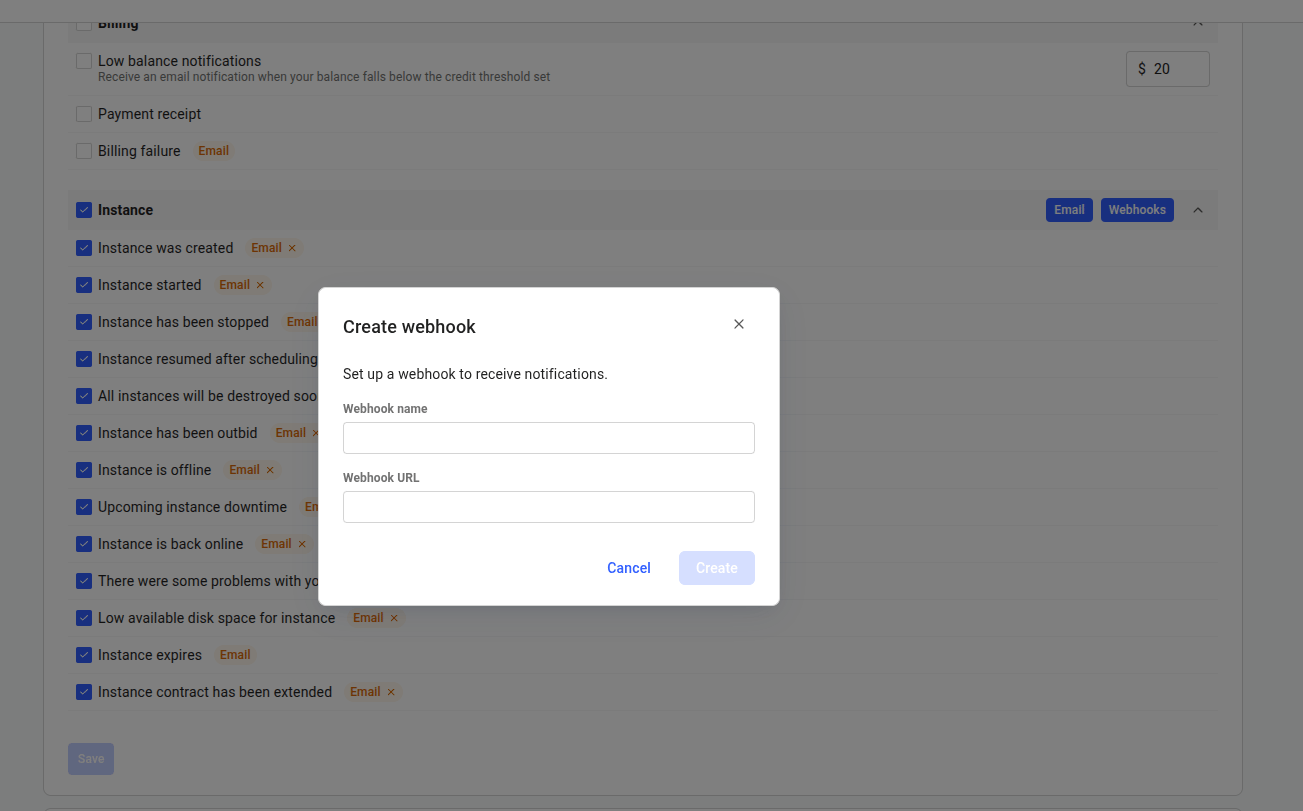
Create webhook
Manage Webhooks With the API
This guide covers the delivery behavior you need to integrate safely — signing, retries, limits, and the receiver pattern. The API calls themselves (request bodies, response schemas, status codes) are documented in the API reference:The test endpoint sends a
webhook_test event with the same request format and signature headers as a real delivery, with data set to null and data_truncated set to false. It is not retried.Webhook Limits and Validation
Use full notification type keys such as
client:low_credit and client:outbid. Because a similar event can exist for both renters and hosts, the full key — including its client: or host: prefix — avoids ambiguity. Host webhooks use host: keys, documented in Host Notifications.
Event Payload
Vast.ai sends a JSONPOST request:
The payload’s
notif_type is the short slug (for example low_credit), without the client: or host: context prefix used in subscription keys. If you subscribe one webhook to both a client: and a host: variant of the same event, use a dedicated webhook per context to tell them apart reliably.The payload’s
timestamp remains a floating-point event timestamp. Signature verification uses the integer timestamp from X-Vast-Timestamp.The data Object
data carries machine-readable details about the event, so you can act on it without parsing message. It is always either a JSON object or null — never a string.
- Keys vary by
notif_type. Each event type exposes its own keys, and not every event has every key. Read keys defensively and ignore ones you do not recognize. - Only vetted keys are exposed. Vast.ai sends a fixed set of keys that are safe to deliver to a URL you configure. Anything else, such as payment-processor references or internal bookkeeping, is left out. Keys are never exposed by default, so a new key appears only after it has been reviewed.
- Some events send few keys or none. Treat
dataas optional, and usemessageonly for display.
data_truncated tells you why data is null:
data and data_truncated are additive. Existing fields keep their names and types, so consumers that ignore unknown fields keep working unchanged. Both fields are part of the signed request body, and signature verification works exactly as before.Verify Signatures
Verify every request before acting on it. Vast.ai signs the exact request body with yourwebhook_secret.
The signature input is:
Retry Behavior
Return a2xx status only once you have safely accepted the event — that is, verified the signature and enqueued it.
Webhook delivery uses a 10 second request timeout. Design receivers to do minimal work in the request path: verify the signature, enqueue the event, return
2xx, then process asynchronously.
Recommended Receiver Pattern
- Require
POST. - Read the raw request body.
- Verify
X-Vast-Signature-256. - Reject stale timestamps.
- Deduplicate by
event_id. - Enqueue the event in your own system.
- Return
204or another2xxresponse quickly.