

This page covers renter notifications. If you also provide machines on Vast.ai, see Host Notifications for host machine, verification, and maintenance events.
Where to Find Notification Settings
Open Account Settings and go to Notification Settings.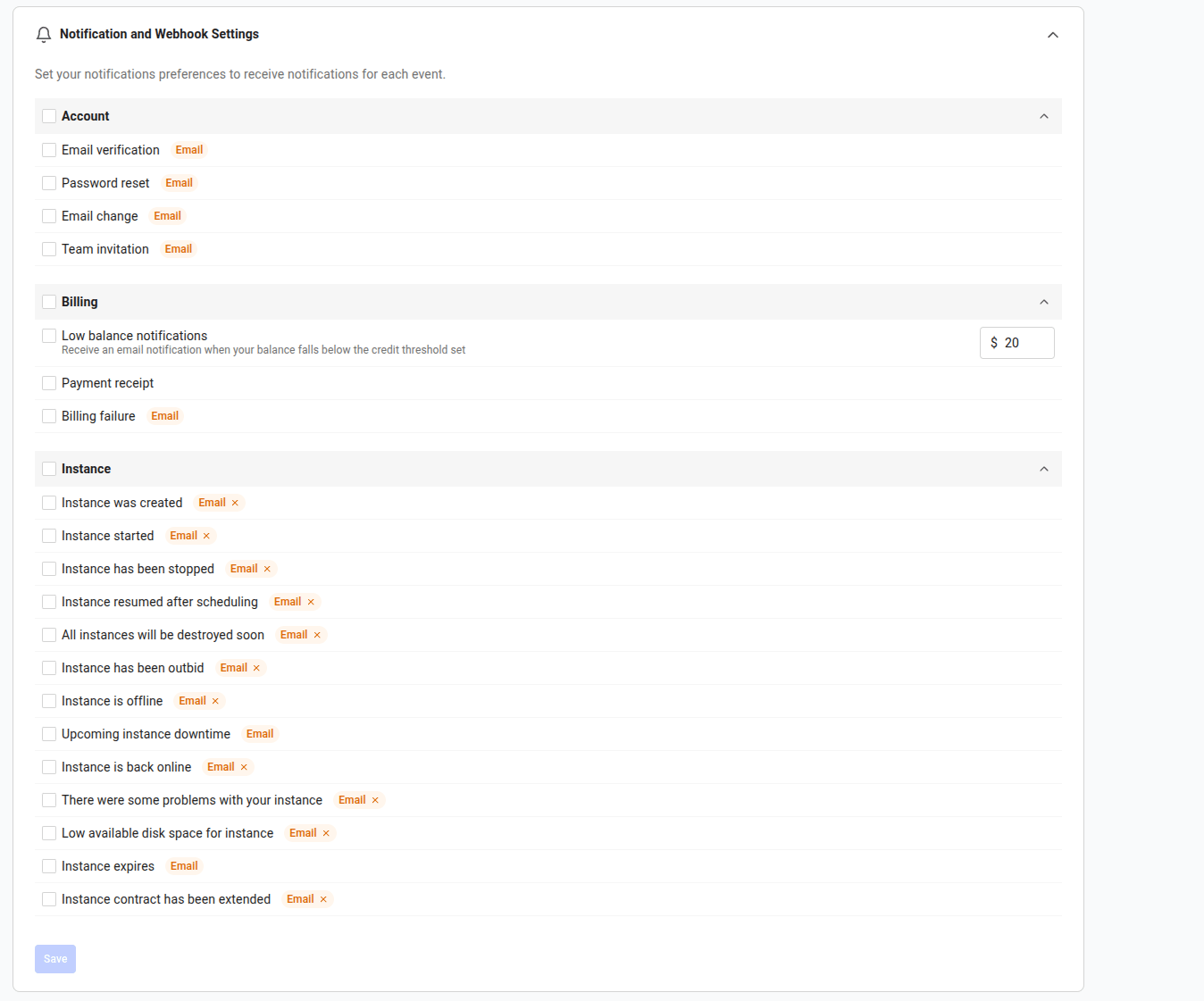
Notification Settings
Some events are only shown when they apply to your account. For example, team-invitation events only appear if you belong to a team.
For a description of every event in these groups, see the full list of renter notifications at the end of this page.
How Delivery Works
Each notification type can be delivered over one or more channels:
Some emails are mandatory because they are tied to account access, billing protection, or imminent service disruption. Mandatory email notifications cannot be fully disabled from the settings page.
Email and webhook preferences are set per notification type.
Update Notifications in the Console
- Open Account Settings.
- Go to Notification Settings.
- Review each Account, Billing, and Instance section.
- Turn off email for any optional event you do not want in your inbox.
- For low-balance notifications, set the credit threshold that should trigger the warning.
- Select events that should be sent to a webhook, then create or edit the webhook destination.
- Click Save.
Webhooks
Webhooks are part of the notification system. They use the same event catalog and preferences as email notifications, but deliver events to an HTTPS endpoint that you operate. Use webhooks when you want to:- Trigger cleanup or orchestration when an instance changes state.
- Mirror billing or account events into your own tools.
- Build an audit trail outside the Vast console.
Notification Type Keys
Notification types are identified by akey with a context prefix. Renter events use the client: prefix, such as client:low_credit or client:outbid.
Use the full key when subscribing webhooks or updating preferences. Because a similar event can exist for both renters and hosts, the full key avoids ambiguity. For the complete list of types, display names, and default channel settings, call GET /notification-types/.
Programmatic Access
Building your own notification settings UI or automation? The full set of notification, preference, and webhook endpoints is documented in the Notifications API.Good Defaults
Start with this setup:
Review the settings periodically, especially after enabling autobilling or connecting a new automation workflow.
All Renter Notifications
Every renter notification, grouped as it appears in Notification Settings.Account
Billing
Low-balance warnings are configured on the Billing page, alongside your credit threshold.