Use this example to send Vast.ai notification webhooks into a Google Chat space. Vast.ai sends a standard notification payload, and the adapter below verifies the Vast.ai signature before converting it into the {"text": "..."} format Google Chat expects. The flow is:
Vast.ai notification -> your HTTPS webhook URL -> local adapter -> Google Chat

Prerequisites

  • A Vast.ai API key from Keys
  • A Google Chat space where you can add an incoming webhook
  • Python 3.10 or newer
  • A public HTTPS URL that forwards to your local machine for testing, such as Tunnelmole, ngrok, or Cloudflare Tunnel

Review Notification Settings

Open Account Settings and review Notification Settings. The notification groups shown here are the same event groups you can subscribe to through the API.
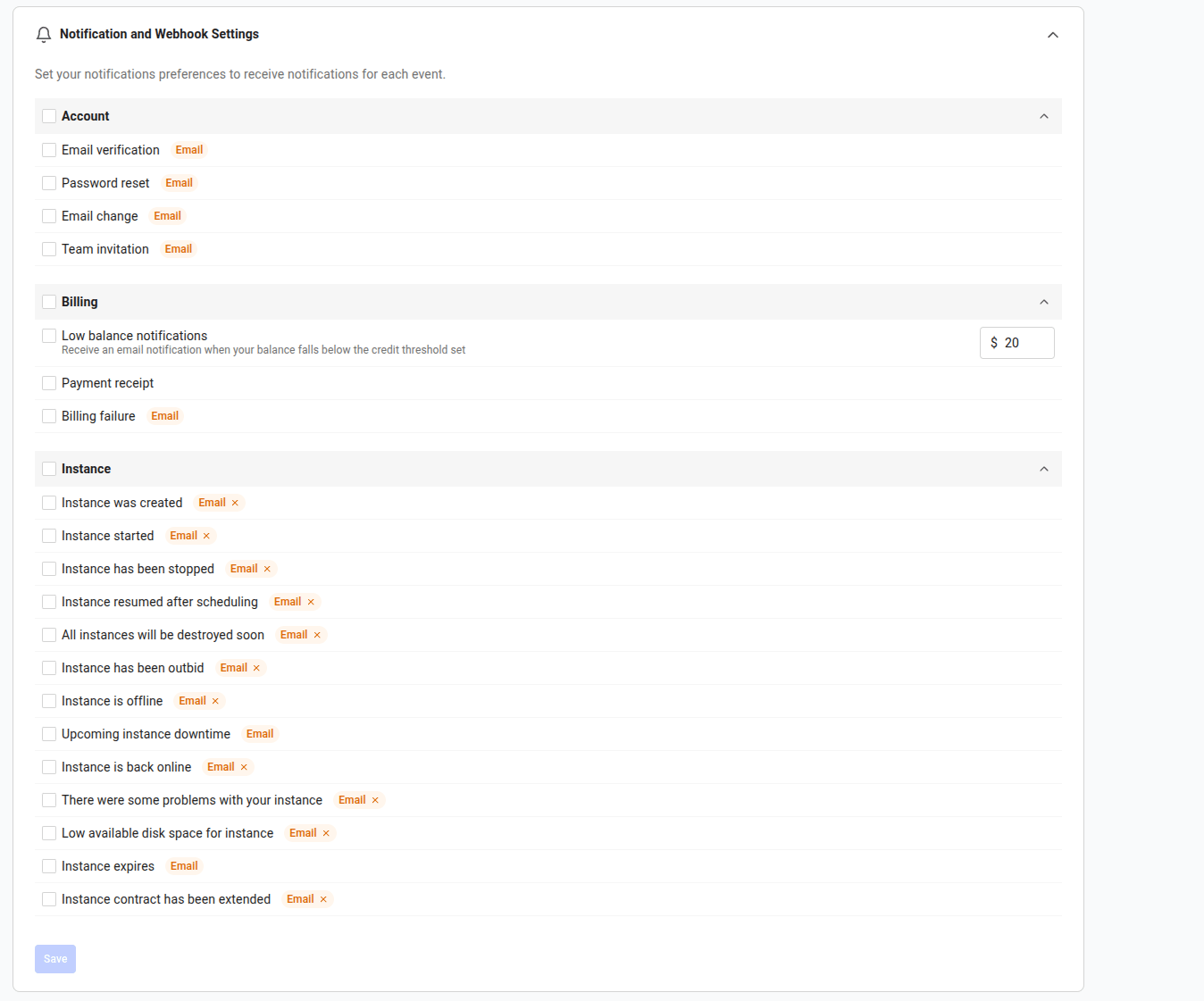
Notification Settings page with Account, Billing, and Instance notification groups

Create a Google Chat Incoming Webhook

In Google Chat:
  1. Create or open a space.
  2. Open the space menu.
  3. Select Apps & integrations.
  4. Add an incoming webhook.
  5. Copy the Google Chat webhook URL.
Keep that URL private. It lets anyone who has it post into the space.

Create the Adapter

Create a working directory and install the only Python dependency:
mkdir vast-google-chat-notifications
cd vast-google-chat-notifications
python3 -m venv .venv
. .venv/bin/activate
pip install requests
Create vast_google_chat_adapter.py:
#!/usr/bin/env python3
import hashlib
import hmac
import json
import os
import time
from http.server import BaseHTTPRequestHandler, ThreadingHTTPServer

import requests


GOOGLE_CHAT_URL = os.environ["GOOGLE_CHAT_URL"]
VAST_WEBHOOK_SECRET = os.environ["VAST_WEBHOOK_SECRET"]
PORT = int(os.environ.get("PORT", "8787"))
MAX_SIGNATURE_AGE_SECONDS = 300


def verify_vast_signature(headers, raw_body: bytes) -> bool:
    timestamp = headers.get("X-Vast-Timestamp", "")
    signature = headers.get("X-Vast-Signature-256", "")

    if not timestamp or not signature.startswith("sha256="):
        return False

    try:
        age = abs(time.time() - int(timestamp))
    except ValueError:
        return False

    if age > MAX_SIGNATURE_AGE_SECONDS:
        return False

    signed = timestamp.encode("utf-8") + b"." + raw_body
    digest = hmac.new(
        VAST_WEBHOOK_SECRET.encode("utf-8"),
        signed,
        hashlib.sha256,
    ).hexdigest()
    return hmac.compare_digest(signature, f"sha256={digest}")


def google_chat_text(payload: dict) -> str:
    subject = payload.get("subject") or "Vast.ai notification"
    message = payload.get("message") or json.dumps(payload, sort_keys=True)
    notif_type = payload.get("notif_type")
    event_id = payload.get("event_id")

    lines = [subject, "", str(message)]
    details = []
    if notif_type:
        details.append(f"type={notif_type}")
    if event_id:
        details.append(f"event_id={event_id}")
    if details:
        lines.extend(["", " ".join(details)])
    return "\n".join(lines)


class Handler(BaseHTTPRequestHandler):
    def _json(self, status: int, body: dict):
        data = json.dumps(body).encode("utf-8")
        self.send_response(status)
        self.send_header("Content-Type", "application/json")
        self.send_header("Content-Length", str(len(data)))
        self.end_headers()
        self.wfile.write(data)

    def do_GET(self):
        if self.path == "/health":
            self._json(200, {"ok": True})
            return
        self._json(404, {"ok": False, "error": "not_found"})

    def do_POST(self):
        length = int(self.headers.get("Content-Length", "0") or "0")
        raw_body = self.rfile.read(length)

        if not verify_vast_signature(self.headers, raw_body):
            self._json(401, {"ok": False, "error": "invalid_signature"})
            return

        try:
            payload = json.loads(raw_body.decode("utf-8") or "{}")
        except json.JSONDecodeError:
            self._json(400, {"ok": False, "error": "invalid_json"})
            return

        if not isinstance(payload, dict):
            self._json(400, {"ok": False, "error": "invalid_payload"})
            return

        response = requests.post(
            GOOGLE_CHAT_URL,
            json={"text": google_chat_text(payload)},
            timeout=10,
        )
        if response.status_code >= 400:
            self._json(
                502,
                {"ok": False, "google_chat_status": response.status_code},
            )
            return

        print(
            f"forwarded notif_type={payload.get('notif_type')} "
            f"event_id={payload.get('event_id')}",
            flush=True,
        )
        self._json(200, {"ok": True})

    def log_message(self, fmt, *args):
        print(f"{self.address_string()} - {fmt % args}", flush=True)


if __name__ == "__main__":
    print(f"listening on http://127.0.0.1:{PORT}", flush=True)
    ThreadingHTTPServer(("127.0.0.1", PORT), Handler).serve_forever()

Create the Vast.ai Webhook

From here you use three terminals, all in the vast-google-chat-notifications directory: the adapter terminal you just used, a control terminal for Vast.ai API calls, and a tunnel terminal for tmole. Create the webhook first. The adapter needs this webhook’s signing secret before it can start, and tmole only starts once the adapter is already listening — so you create the webhook with a temporary URL now and point it at the tunnel once the tunnel is up. In the control terminal, set your Vast.ai API key and create the webhook:
cd vast-google-chat-notifications

read -rsp "Vast.ai API key: " VAST_API_KEY
export VAST_API_KEY
echo

cat > create-webhook.json <<JSON
{
  "name": "Google Chat notifications",
  "webhook_url": "https://example.com/replace-after-tunnel",
  "event_types": [
    "client:low_credit",
    "client:instance_created",
    "client:instance_started",
    "client:instance_stopped",
    "client:outbid",
    "client:upcoming_downtime"
  ]
}
JSON

curl --fail-with-body -sS \
  -X POST "https://console.vast.ai/api/v0/webhooks/" \
  -H "Authorization: Bearer $VAST_API_KEY" \
  -H "Content-Type: application/json" \
  --data @create-webhook.json | tee vast-webhook.json
The response includes the webhook ID and signing secret. Export the ID for the later API calls:
export WEBHOOK_ID="$(
  python3 -c 'import json; print(json.load(open("vast-webhook.json"))["webhook"]["id"])'
)"
The signing secret (webhook_secret) is saved in vast-webhook.json. Store it securely — Vast.ai returns it only when the webhook is created or its secret is rotated, not on list or update responses.
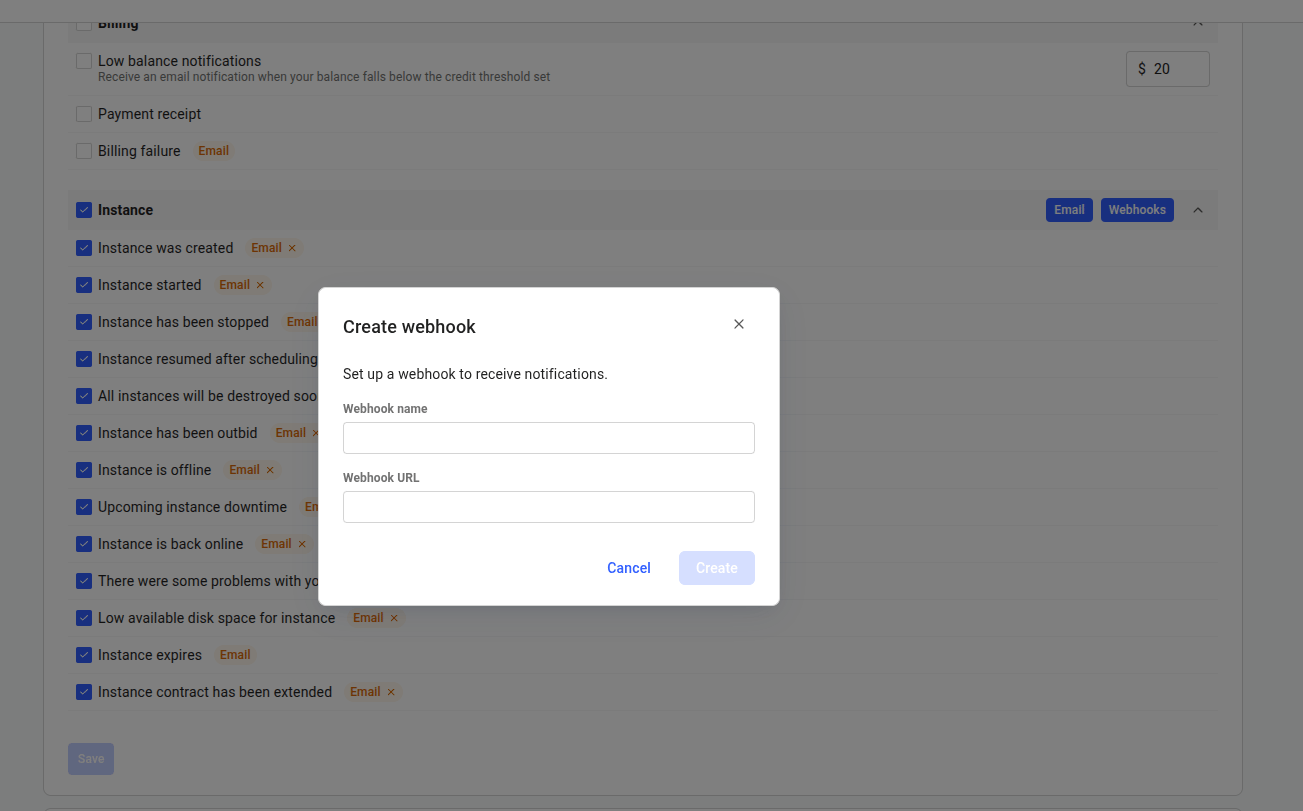
You can create the same webhook from the console, but the API flow is best for this example because the adapter needs the signing secret.
Create webhook modal with webhook name and webhook URL fields

Start the Adapter

In the adapter terminal (where the virtual environment is active), load the signing secret from vast-webhook.json, set your Google Chat webhook URL, and start the adapter:
export VAST_WEBHOOK_SECRET="$(
  python3 -c 'import json; print(json.load(open("vast-webhook.json"))["webhook"]["webhook_secret"])'
)"

read -rsp "Google Chat webhook URL: " GOOGLE_CHAT_URL
export GOOGLE_CHAT_URL
echo

python3 vast_google_chat_adapter.py
The adapter prints listening on http://127.0.0.1:8787 and listens only on 127.0.0.1. Leave it running; the HTTPS tunnel you start next forwards public Vast.ai deliveries to that local port.

Expose the Adapter Over HTTPS

Vast.ai requires an HTTPS webhook URL. This example uses tmole; if you use another tunnel, run the equivalent command and copy the HTTPS URL it prints. Because tmole only starts once something is listening on the port, start it now that the adapter is running. In the tunnel terminal:
tmole 8787
Copy the HTTPS URL it prints, such as https://xxxxxx.tunnelmole.net.

Point the Webhook at Your Tunnel

In the control terminal, set the tunnel URL and update the webhook so Vast.ai delivers to it:
read -rp "Public HTTPS webhook URL: " PUBLIC_WEBHOOK_URL
export PUBLIC_WEBHOOK_URL

cat > update-webhook.json <<JSON
{
  "webhook_url": "$PUBLIC_WEBHOOK_URL"
}
JSON

curl --fail-with-body -sS \
  -X PUT "https://console.vast.ai/api/v0/webhooks/$WEBHOOK_ID/" \
  -H "Authorization: Bearer $VAST_API_KEY" \
  -H "Content-Type: application/json" \
  --data @update-webhook.json

Send a Test Delivery

In the control terminal, send Vast.ai’s built-in test event:
curl --fail-with-body -sS \
  -X POST "https://console.vast.ai/api/v0/webhooks/$WEBHOOK_ID/test/" \
  -H "Authorization: Bearer $VAST_API_KEY"
The adapter should print a forwarded event, and the Google Chat space should receive a Vast.ai webhook test message.

Trigger a Real Notification

After the test event works, trigger one of the subscribed events:
  • Create an instance to receive client:instance_created.
  • Start an instance to receive client:instance_started.
  • Stop an instance to receive client:instance_stopped.
  • Keep low-balance notifications enabled to receive client:low_credit when your configured threshold is reached.
You can list available notification types at any time:
curl -sS \
  -H "Authorization: Bearer $VAST_API_KEY" \
  "https://console.vast.ai/api/v0/notification-types/"

Clean Up

In the control terminal, delete the webhook when you are done testing:
curl --fail-with-body -sS \
  -X DELETE "https://console.vast.ai/api/v0/webhooks/$WEBHOOK_ID/" \
  -H "Authorization: Bearer $VAST_API_KEY"
Then stop the adapter and the HTTPS tunnel.

Production Notes

  • Deploy the adapter on a stable HTTPS endpoint before using it for production alerts.
  • Verify X-Vast-Signature-256 before forwarding or acting on any event.
  • Deduplicate deliveries by event_id; webhook delivery is at-least-once.
  • Return 2xx only after your adapter accepts the event.
  • Do not register the Google Chat incoming webhook URL directly in Vast.ai. Google Chat expects its own message format, so it needs an adapter between Vast.ai and Google Chat.